For Google TV
Make Mom or Dad's TV easy again.
Today's TVs are crowded with ads, trailers and menus. Simple Senior TV replaces all of that with one calm screen and a few big buttons: Live TV, their saved shows, and only the apps they actually use. Simple Senior TV is an easy way to improve your loved one's daily routine.
- Introductory price
- 30-day money-back guarantee
- One-time price, no subscription
- Undo any time
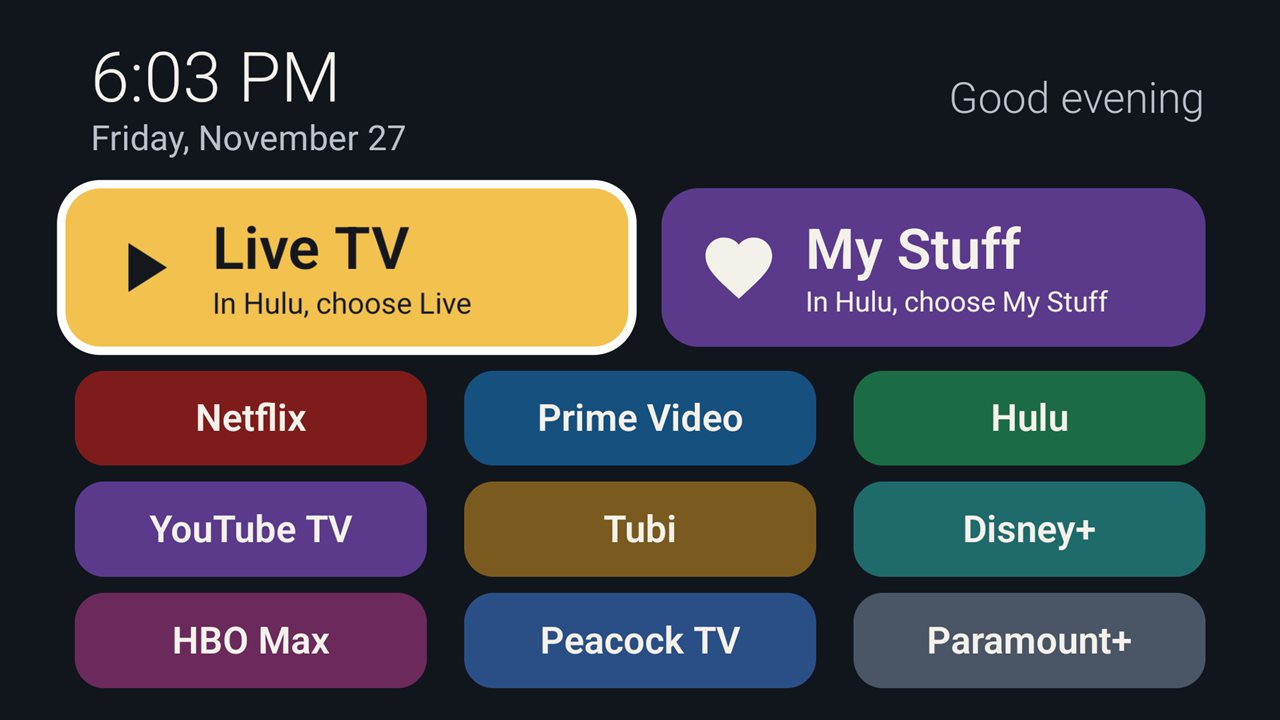
One screen they can always find their way around
Made for parents with memory loss, low vision, or who simply find today's TVs confusing.
The usual Google TV screen
- Rows of trailers and ads that change every day
- Dozens of apps and small text
- Easy to land somewhere unfamiliar and get stuck
With Simple Senior TV
- The same screen every time, with a large clock and date
- Big, high-contrast buttons with a bright yellow highlight
- Only the arrow buttons and OK on the remote are needed
Set it up once, from your laptop
You do the setup, at your parent's home. It takes about 20 minutes, and there's a short video for every step.
Buy and get your code
Your activation code and the setup program arrive by email right after purchase.
Connect your laptop to their TV
Run the setup program on a Windows laptop on the same Wi-Fi as the TV. It finds the TV for you.
Choose their channels and apps
Pick who provides their TV channels (Hulu, YouTube TV or a cable box) and up to 9 apps. You can rename any button to something familiar, like "Movies".
What's on the screen
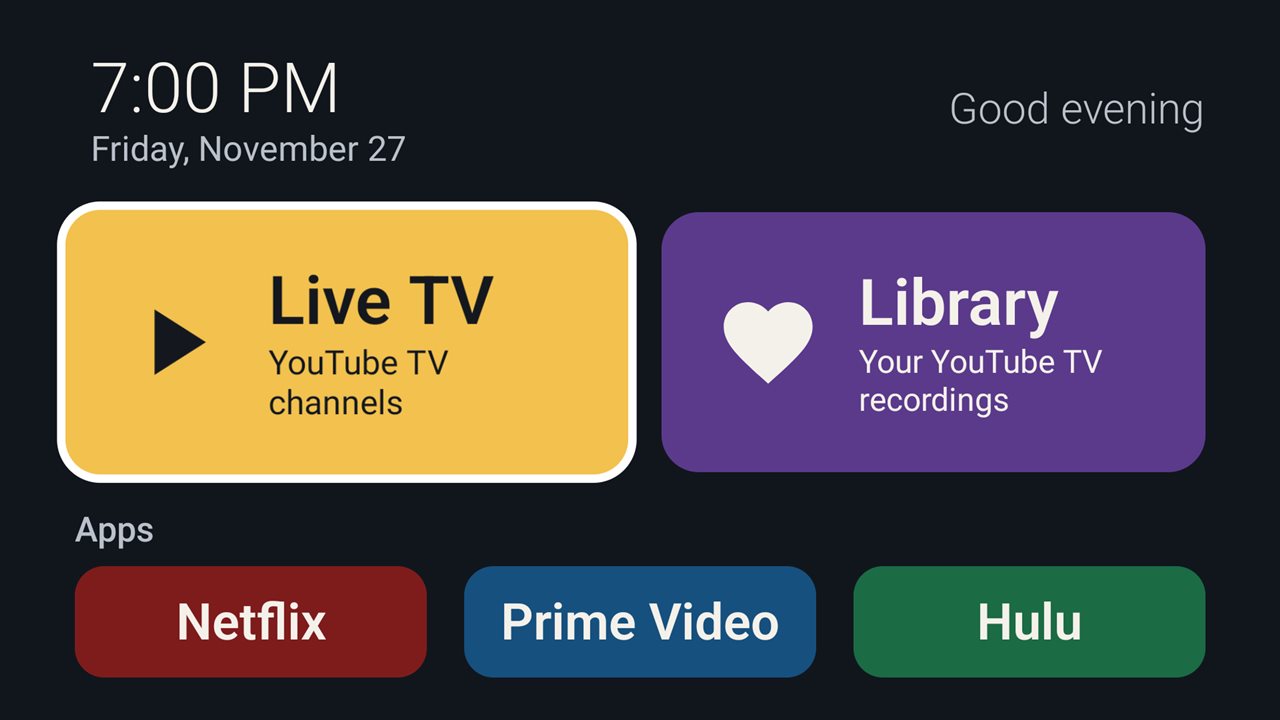
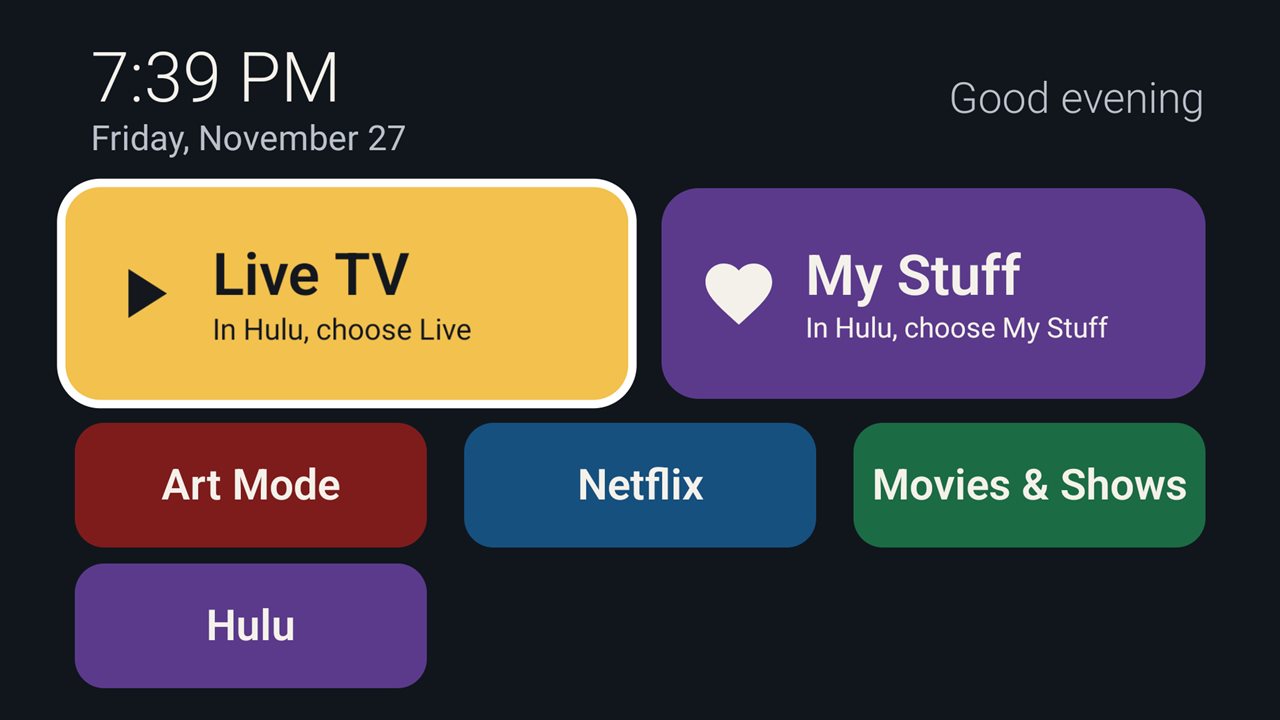
Live TV in one press
Works with YouTube TV, Hulu + Live TV, or a cable or satellite box plugged into the TV.
Their saved shows
A big button for Hulu's My Stuff or YouTube TV's Library.
Can become the TV's home screen
Optional: the remote's Home button and turning the TV on both go to Simple Senior TV.
A hidden helper menu for family
TV settings and the full app list stay one step away for you, out of your parent's way.
Easy to undo
A "Reset to Google TV Home" button (with an "Are you sure?") and a full Undo in the setup program.
Nothing to subscribe to
Pay once. Keep using the streaming services they already have.
Will it work with their TV?
Look at the top right of their TV's home screen. If it says Google TV, it works.
Works with
- TVs with Google TV built in (for example many Hisense, TCL and Sony models)
- Google TV streaming devices plugged into any TV
- A Windows 10 or 11 laptop for setup (Mac version coming soon)
Doesn't work with (yet)
- Samsung, LG or Vizio TVs with their own systems
- Roku, Amazon Fire TV or Apple TV

Simple Senior TV
Introductory price
$39 one time
- Use it on 2 TVs for life, for example the living room and bedroom
- Step-by-step setup videos
- Free updates
- 30-day money-back guarantee
Secure checkout by Polar (polar.sh). Your code arrives by email.
Questions
Is this a subscription?
No. You pay $39 once and can use it on 2 TVs. Streaming services like Hulu or YouTube TV are paid separately, as they are today.
How many TVs can I use it on?
Each purchase works on 2 TVs, for life. Once it has been set up on 2 TVs, those are your 2 and the code can't be moved to another TV. Setting up the same TV again later (for example to change the apps) doesn't count as a new TV, unless the TV has been factory reset. For a third TV, buy another copy.
Do I need to be at my parent's house to set it up?
Yes. Your laptop has to be on the same Wi-Fi as the TV during setup. After that, the TV works on its own.
Does it work with Hulu + Live TV?
Yes. Hulu doesn't let other apps open its Live or My Stuff pages directly, so those buttons open Hulu and a short caption says what to choose. With YouTube TV, the buttons go straight to Live and Library.
We have cable. Does it work?
Yes, if the cable or satellite box is plugged into the TV. You pick which input the box uses, and the Live TV button switches the TV to it.
Will it change anything I can't undo?
No. Everything can be undone with the setup program, and the TV has its own "Reset to Google TV Home" button.
What if it doesn't work for us?
Email us within 30 days for a full refund.